What customers see, orders and reports
Where shoppers learn about an offer, the cart messages and the gift box, an order with its free items in the admin and in My Account, what happens on a refund, and the reports. With worked examples.
Telling shoppers about the offer
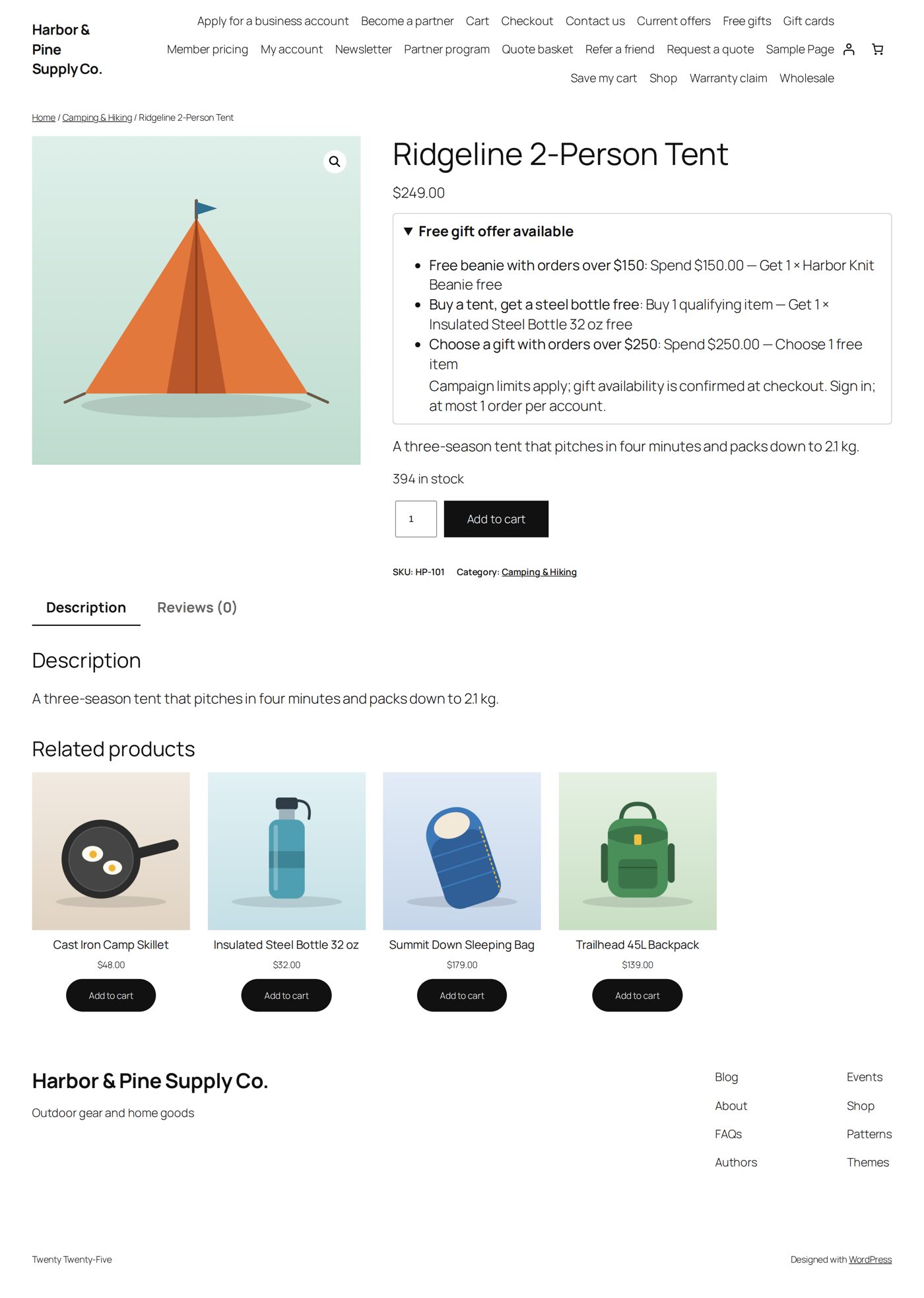
Each promotion decides where it is shown, in the Storefront display box on the right of its editor. Every place reads the same promotion; the switches never make a second copy of the deal.
| Switch | At the start | What shoppers see |
|---|---|---|
| Product pages | on | Under the price of a product that takes part, a box Free gift offer available that opens to list the promotions: name, what must be bought, what is given, the short description and any conditions, with View promotion details when there is a promotions page. |
| Shop/catalog cards | off | A small Free gift offer badge on the product's card in the shop, in categories and under related products. |
| Cart progress messaging | on | A row under Free gift progress in the cart (examples below). |
| Current Promotions policy section | on | The promotion on the promotions page. |
An offer on a product page means "this product takes part". The cart decides whether the gift is earned.
The cart rows
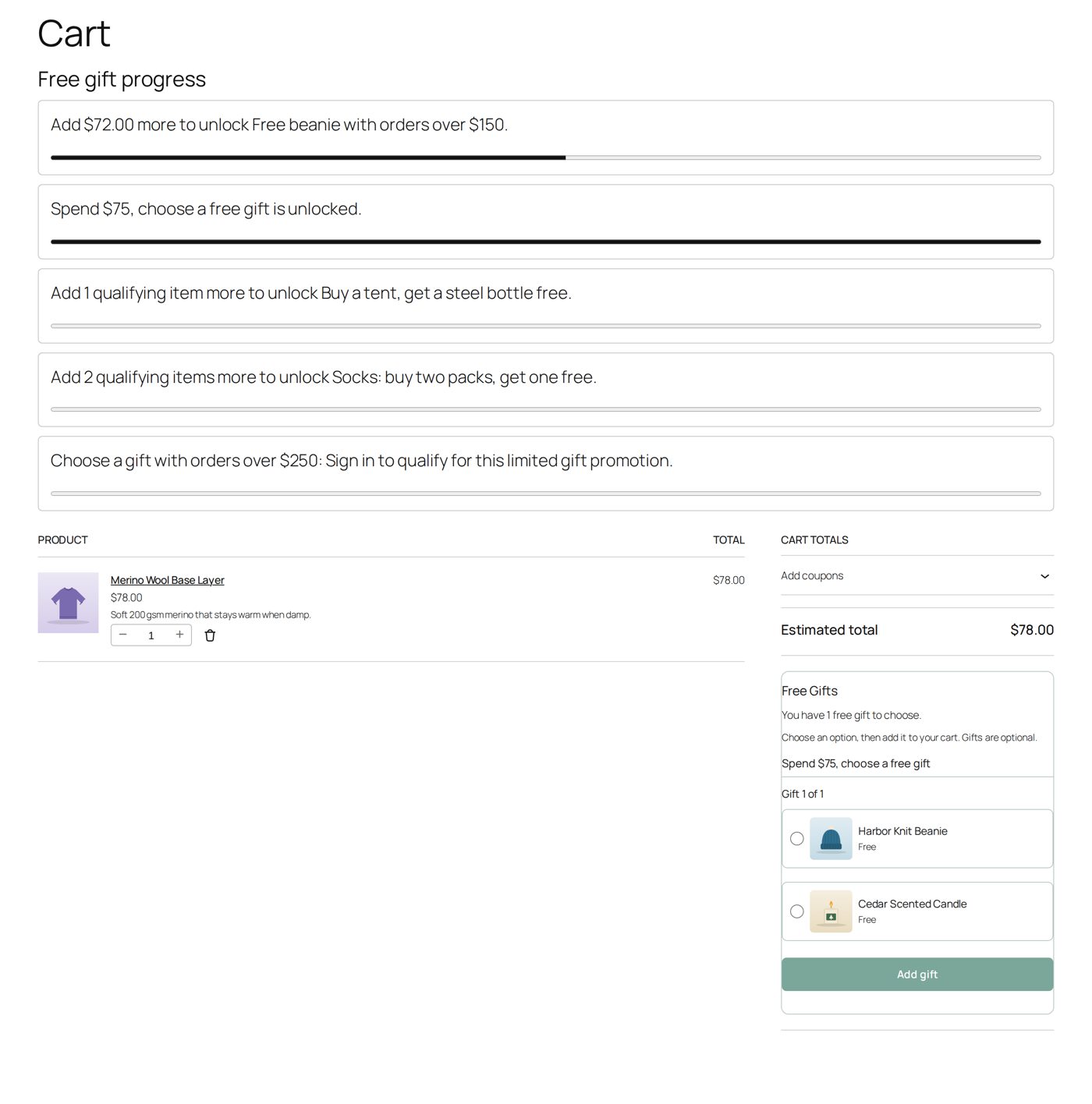
Each running promotion with Cart progress messaging gets a row with a bar that fills up. The words depend on where the cart stands; these are from Harbor & Pine's carts:
| The cart | The row says |
|---|---|
| short of a spending amount | "Add $72.00 more to unlock Free beanie with orders over $150." |
| short of a number of items | "Add 2 qualifying items more to unlock Socks: buy two packs, get one free." |
| has earned it | "Spend $75, choose a free gift is unlocked." |
| has earned a level of a ladder | "Bigger orders, better gifts is unlocked. Add $86.00 more for the next reward level." |
| needs a signed-in shopper | "Choose a gift with orders over $250: Sign in to qualify for this limited gift promotion." |
Next to the totals, the gift box (its heading is Customer-facing label on Settings, Free Gifts at the start) says how many gifts are waiting ("You have 1 free gift to choose.") or are in the cart ("1 free gift is in your cart.").
The promotions page
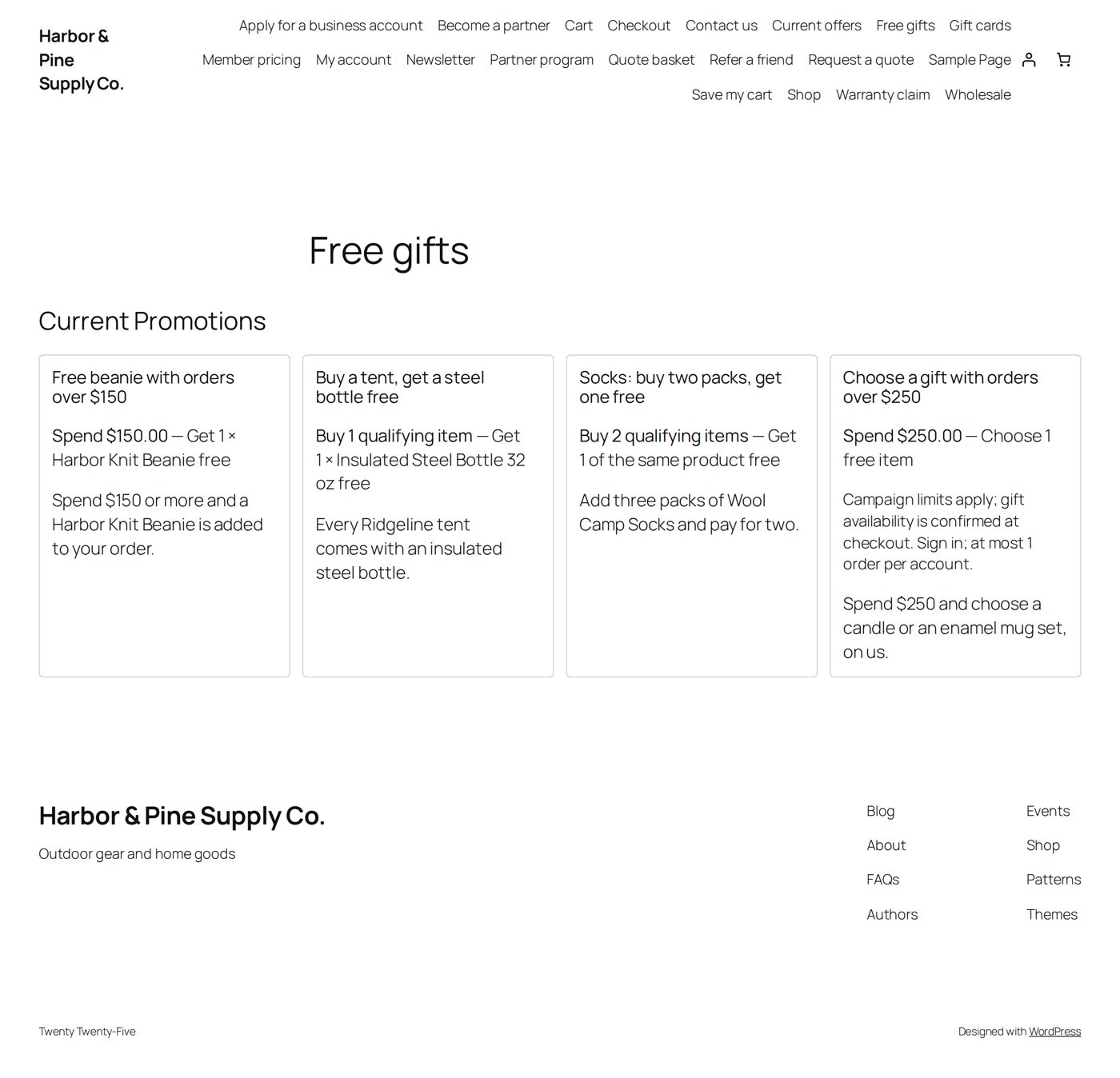
On Settings, choose an existing page as Policy page, or use Create policy page: it makes a draft page named Current Promotions with the list already in it. Write your own introduction and terms around it, then publish (Edit policy page, View policy page). The list itself is the block Current Free Gifts & BOGO Promotions, or the shortcode [freebie_promotions_current], and it updates by itself: each running promotion with its name, what must be bought and what is given, its conditions, the short and the full description, and the levels of a ladder.
Choosing the gift
| Your store uses | The shopper |
|---|---|
| the block cart and checkout | sees the gift box with pictures, eight gifts per page (a search field appears when there are more than eight). They choose a gift and select Add gift; later Change gift or Remove gift. |
| the classic cart | chooses the gift in a form on the cart page. |
| the classic checkout | must choose the gift on the cart page first. |
Gifts are optional: a shopper may leave a gift unchosen and check out. A gift added automatically (a specific product, or the same product) is put in the cart with the notice "An earned free gift was added to your cart." Whenever the cart changes (a product removed, a coupon added, signing in), the offer is checked again and the gift is kept, changed or withdrawn. The whole path, step by step with pictures: Your first promotion.
In the order
Worked example: an order with two free items
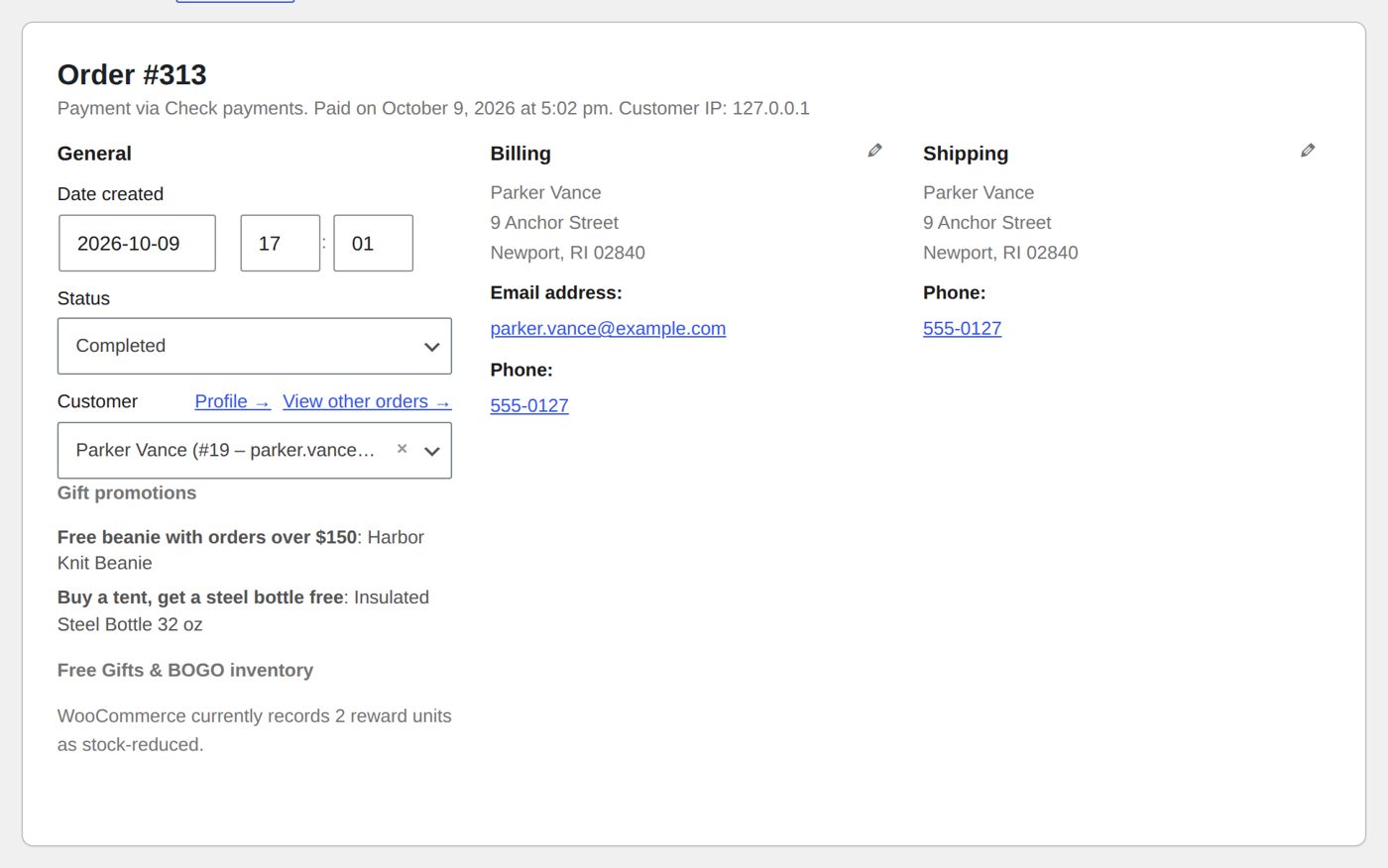
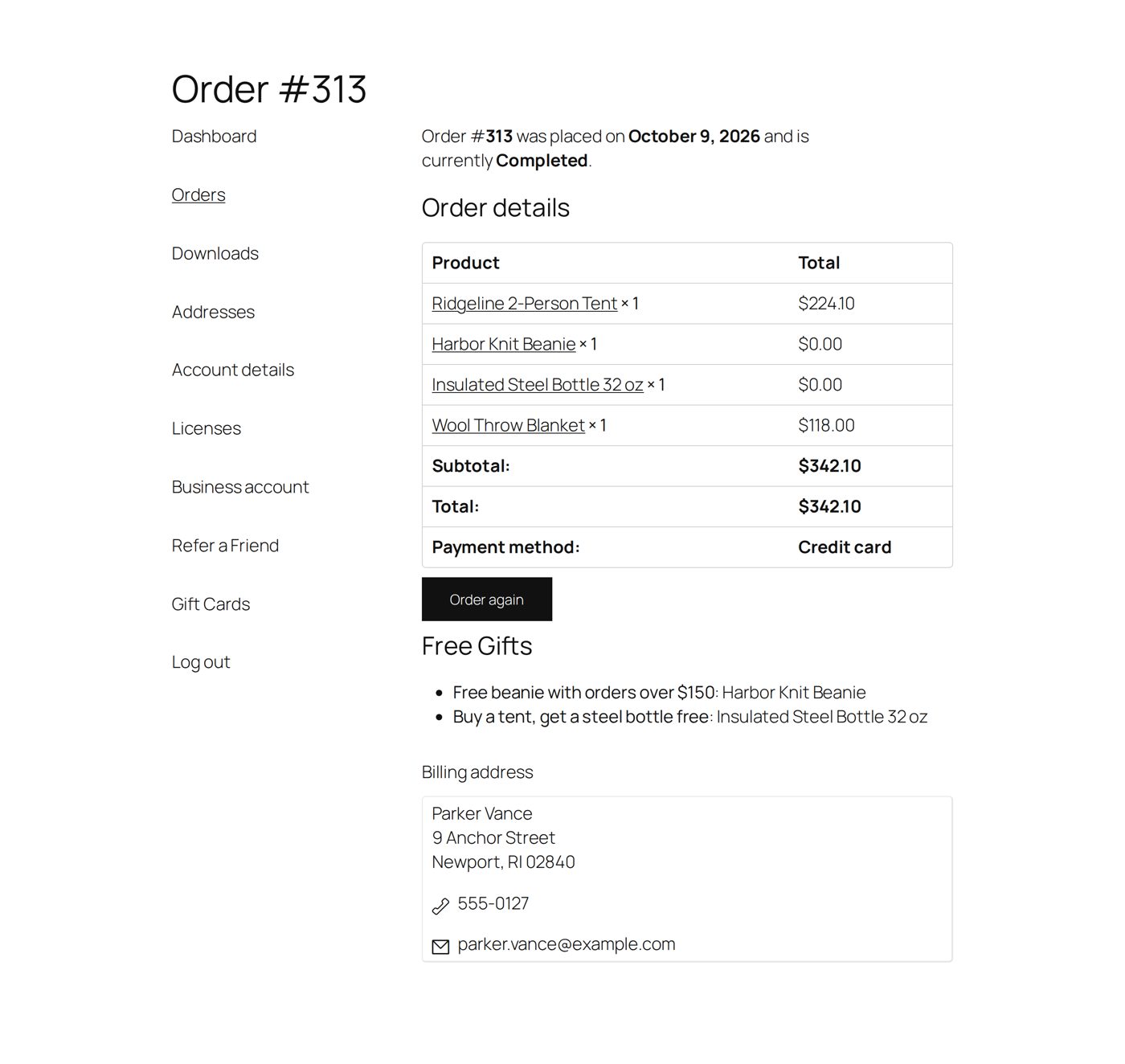
Parker Vance bought a Ridgeline tent ($224.10 with the store's autumn pricing) and a wool throw blanket ($118). Two promotions gave a free item: "Free beanie with orders over $150" (the Harbor Knit Beanie) and "Buy a tent, get a steel bottle free" (the Insulated Steel Bottle). Order #313 has four lines and a total of $342.10.
In the admin order (WooCommerce → Orders), each free item is an ordinary line at $0.00 with "Free reward from:" and the promotion's name (for example "Free reward from: Free beanie with orders over $150 (Added automatically)").
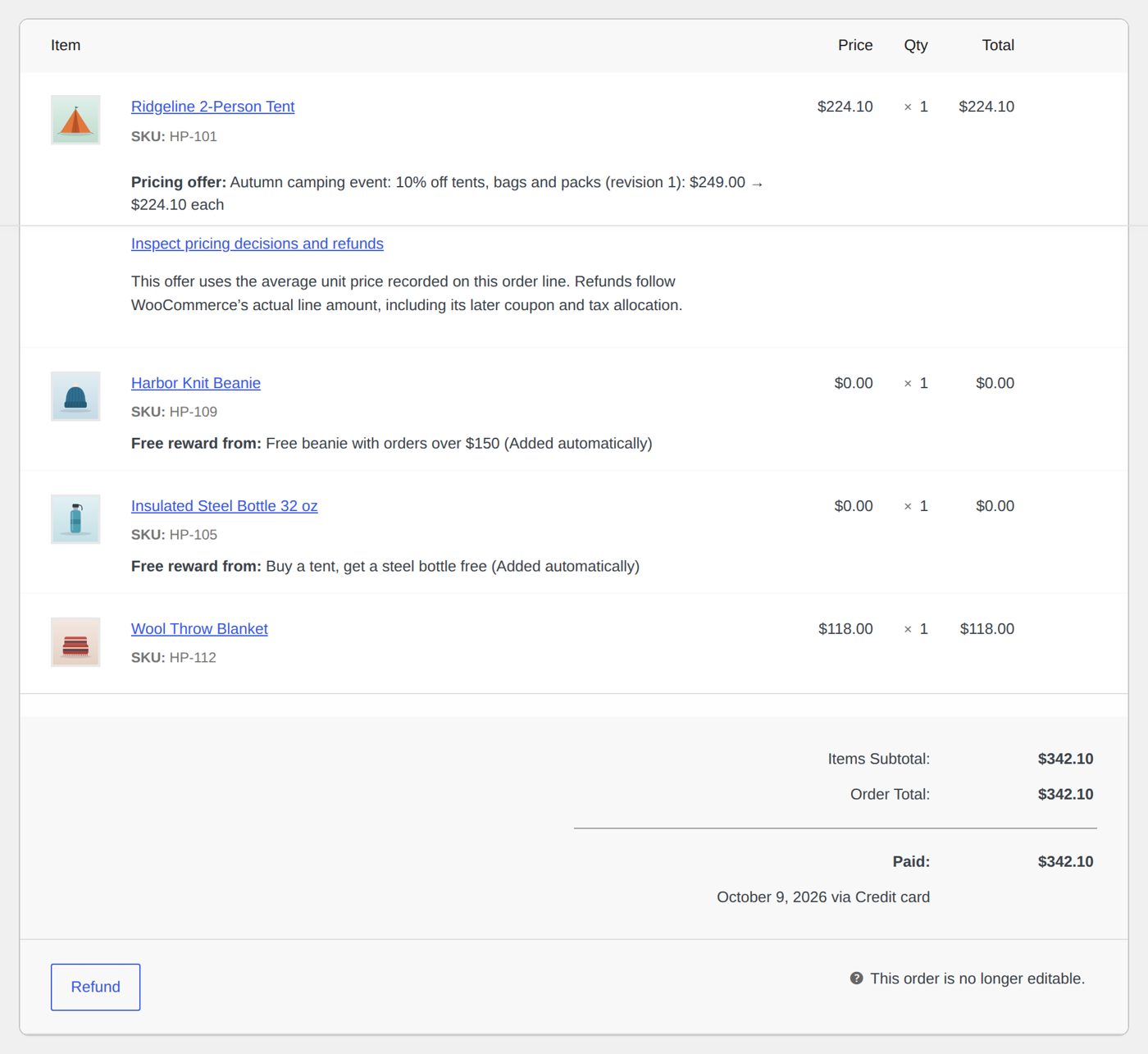
Under the order details, Gift promotions lists each promotion with its product, and Free Gifts & BOGO inventory says what WooCommerce did with the stock ("WooCommerce currently records 2 reward units as stock-reduced.").
The customer sees the same order under My Account → Orders: the free items at $0.00, and below the table a Free Gifts list (promotion: product). The order emails carry the same list.
Stock goes down for a gift as for any product. If the order is cancelled or fails, WooCommerce puts it back.
A gift sent by hand
To give one customer a gift without a promotion, open Send a gift: choose the Customer, up to ten Gift products (simple products or exact variations, one of each) and, if you like, a Message, then Send gift. Free Gifts & BOGO creates a WooCommerce order for that customer with nothing to pay:
- It ships to the customer's saved shipping address (or to their billing address when they have no separate one) and appears in their account.
- Each gift is a line at $0.00, marked "Gift sent by hand" on the order screen and listed under Gift promotions as "Sent by hand". The customer sees the gifts under "Gift from the store" and your message as the order's note, in the order email and in My Account.
- WooCommerce finishes the order at once: Processing (Completed when nothing needs processing, such as a downloadable product), stock reduced, its usual order emails sent.
- Licensed AffStackDev software and gift cards are never gifts; out-of-stock and unpublished products are refused too. Sending the same form twice creates no second order.
Gifts sent by hand next to the form lists the latest ten.
Worked example: a beanie to say sorry
Parker Vance's tent arrived a week late. The shop manager opens Send a gift, finds Parker under Customer, picks the Harbor Knit Beanie under Gift products, writes "Sorry your tent was late. This beanie is on us." and chooses Send gift. The screen says "Gift order #1287 created. WooCommerce sends its usual order emails." Order #1287 is Processing at $0.00, ships to Parker's saved address, and one beanie less is in stock. Parker's order email shows the beanie under "Gift from the store" and the message as the order's note.
A refund
When a refund with an amount, or a refund of paid items, leaves at least one free item in the order, Free Gifts & BOGO marks the order for your review. It only reminds you: it does not remove the gift, charge for it or change the refund. What happens to the gift is your policy; write it into the terms on your promotions page. The reminder is the setting Refund review warning on Settings (on at the start).
Worked example: the tent comes back, the gifts stay
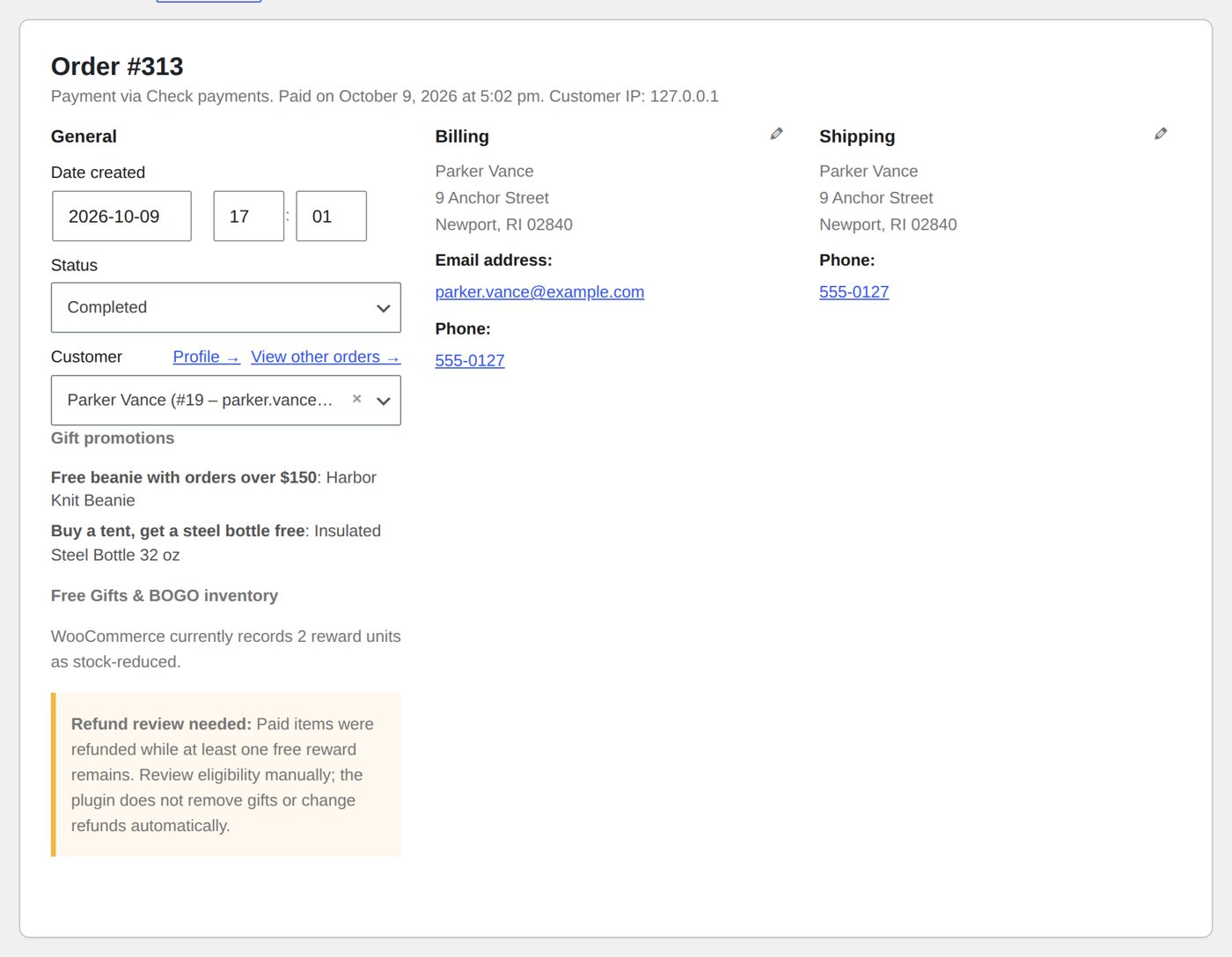
Parker returns the tent of order #313 unused. The owner refunds the tent line (Refund, the tent's quantity 1, the reason "Tent returned unused."). The beanie and the bottle stay in the order, though without the tent the order no longer reaches $150 and has no tent. Free Gifts & BOGO then shows, under the order details, "Refund review needed: Paid items were refunded while at least one free reward remains. Review eligibility manually; the plugin does not remove gifts or change refunds automatically."
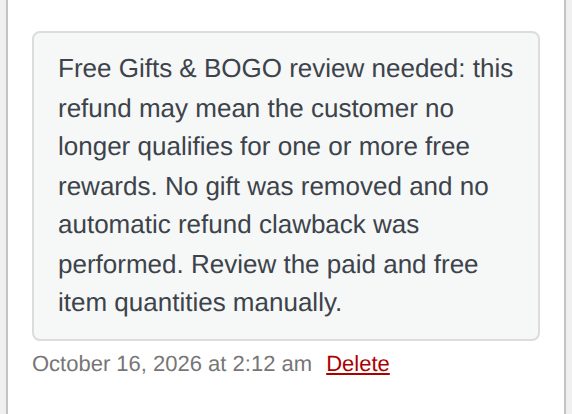
It also adds one private note to the order (customers do not see private notes):
Reports
Reports (and the Dashboard) for the last 7, 30, 90 or 365 days (Report period):
| Number | Means |
|---|---|
| Promotion orders | Orders that got at least one gift. |
| Gift items issued | How many gift items went out. |
| Promotion-order value | What those orders were worth, minus recorded refunds. |
| Most-used reward | Per promotion, the product given most often (or "Free shipping × N" for a promotion that gives free shipping). |
| Gifts sent by hand | Gift orders and gift items sent from Send a gift, counted apart from the promotions. |
Counted are orders in Processing, Completed or On hold; cancelled and failed orders are left out. An order that used two promotions shows up under both; do not add the two lines together.
These numbers tell you what happened. They do not tell you profit, the cost of the gifts or how much more you sold because of the offer.
If something does not work
| What you or the shopper see | Usual cause |
|---|---|
| No offer anywhere | The license is not active; or the promotion is a draft, not enabled, or outside its dates (its Status in the Promotions list says which). |
| The cart is over the amount but no gift | Only counted products count: check exclusions, sale items, whether coupons lower the amount (Coupon spend basis), an extra minimum spend. Shipping and tax never count. The Preview tab tells you which condition is missing. |
| A cart row asks the shopper to sign in | The promotion is for signed-in customers, looks at purchase history, or limits orders per account. |
| A product can earn the gift but cannot be picked | It is excluded as a gift, costs more than the maximum value, or is out of stock. A gift card is never a gift. |
| The gift disappeared | The cart changed, a coupon was added that the promotion does not allow, or the product sold out. |
| A business customer has no gift box | Intended: business accounts do not get consumer gifts. |
Removing Free Gifts & BOGO
Deactivating keeps everything. Deleting the plugin also keeps your promotions, unless you ticked Uninstall behavior on Settings first. Orders always keep the record of the gifts they contained.