Dynamic Pricing
Lower prices by rule: 10% off a category, cheaper from 5 pieces, three for 30, $10 off an order of $100. The price in your catalog stays as it is.
What it does
A rule says: these products, for these customers, in this period, cost less in this way. Dynamic Pricing applies the rule in the cart. Your product prices in WooCommerce are never changed, and when a rule ends, nothing has to be changed back.
For each line in the cart one rule wins among the rules that compete. A rule you set to Adds to other offers comes on top instead, after the winner (Rules that add to other offers).
| You decide | Choices |
|---|---|
| How much less | a percentage, an amount off per piece, or a fixed lower price per piece |
| For what | all products, or chosen products, variations, categories, tags, brands, attributes |
| From how many | quantity breaks, a price for a complete set, or an amount off the order from a spend |
| For whom and when | customer roles, a start and an end, conditions such as "has bought before" |
| How low at most | a lowest price per piece, and caps per cart |
| In which currency | your store's; shoppers who switch currency with WPML or FOX get the same offers converted (Shoppers in another currency) |
Dynamic Pricing is for consumer offers. Prices for business customers belong to B2B; gifts and buy one get one free to Free Gifts & BOGO, which works in the same cart. Shoppers can see the offer price in the shop, the old price crossed out (what shoppers see).
What you need
- WordPress 6.7 or newer, WooCommerce 10.0 or newer, PHP 7.4 or newer (64-bit).
- A Dynamic Pricing license, activated. Without it no rule is applied.
- It prices simple products and single variations.
Where it is
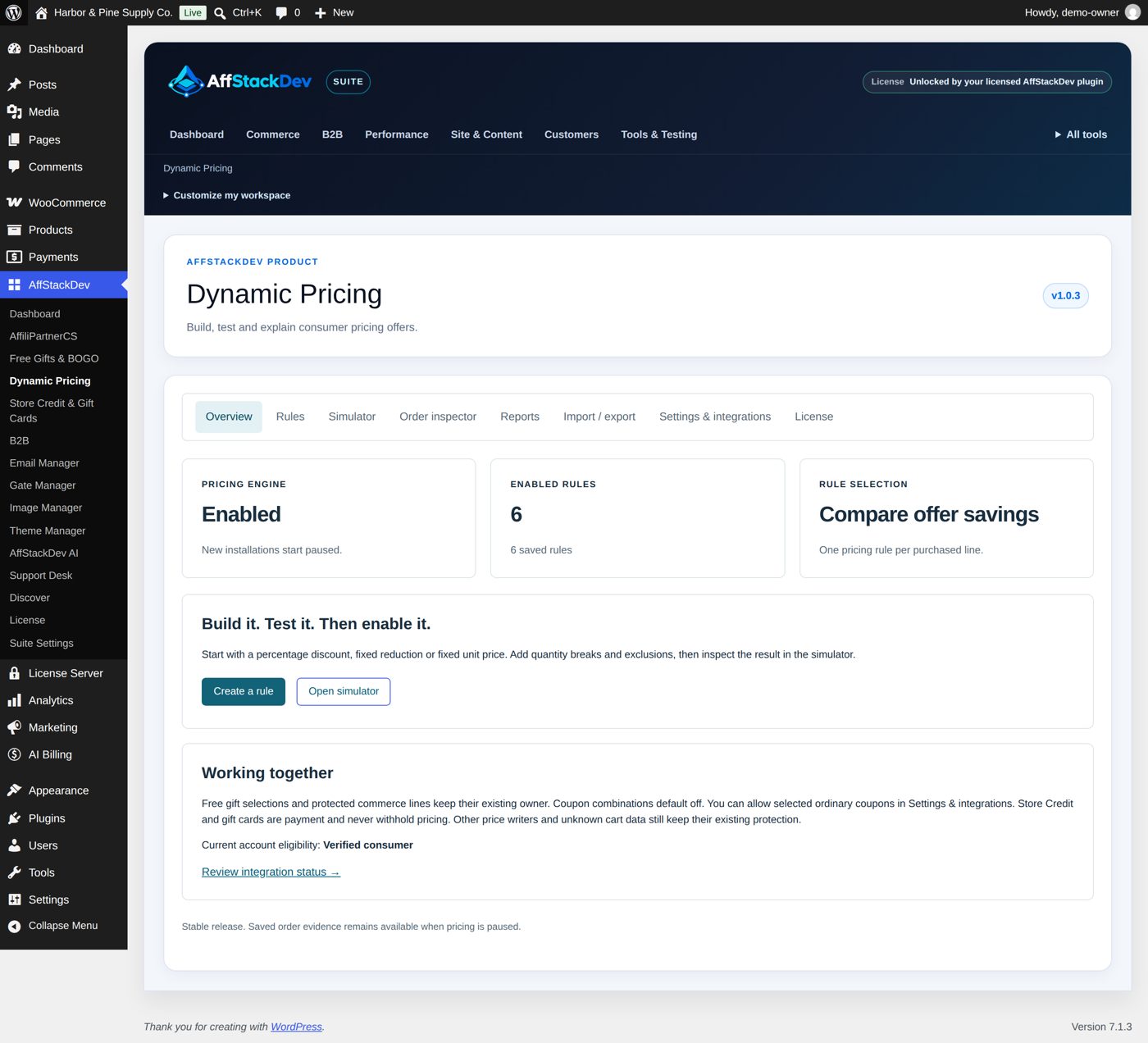
WooCommerce → Dynamic Pricing, or its tab in the AffStackDev menu with the Suite.
| Tab | For |
|---|---|
| Overview | Whether the pricing engine is on, how many rules are enabled, which way of choosing between rules. |
| Rules | Create and edit rules. |
| Simulator | Try rules on sample products without touching a cart. |
| Order inspector | See which rule priced a line of a real order. |
| Reports | What your rules did over a period. |
| Import / export | Save your rules to a file, bring rules in as drafts. |
| Settings & integrations | The main switch, coupons, what shoppers are shown, connections to other plugins. |
| License | Activate and check the Dynamic Pricing license. |
Two switches
A new installation starts paused, and a new rule starts as a draft. A discount reaches a shopper only when both are on: Enable the pricing engine on Settings & integrations and Enable this rule in the rule. That is on purpose: you can build and try everything in the Simulator before any customer sees it.