The Commerce Stack
One purchase, one key, ten plugins on one site. What the Stack contains, how its key works, and how to move it.
What you get
The AffStackDev Commerce Stack is one product that opens ten plugins with one license key:
| Plugin | What it does in your store |
|---|---|
| Store Credit & Gift Cards | store credit balances, gift cards, Refer a Friend |
| AffiliPartnerCS | affiliates and partners, commissions, payouts |
| Image Manager | lighter pictures, alt text, backups |
| Gate Manager | age gates and private areas |
| Unified Email Manager | site emails, newsletters |
| Theme Manager | appearance and form design |
| Free Gifts & BOGO | free gifts, buy one get one |
| Dynamic Pricing | sales, quantity prices, set prices |
| B2B | business accounts and business prices |
| Support Desk | support forms, requests, chat |
The AffStackDev Suite (one menu and one dashboard) comes with it, as with every plugin. AffStackDev AI is not part of the Stack.
One key, one site
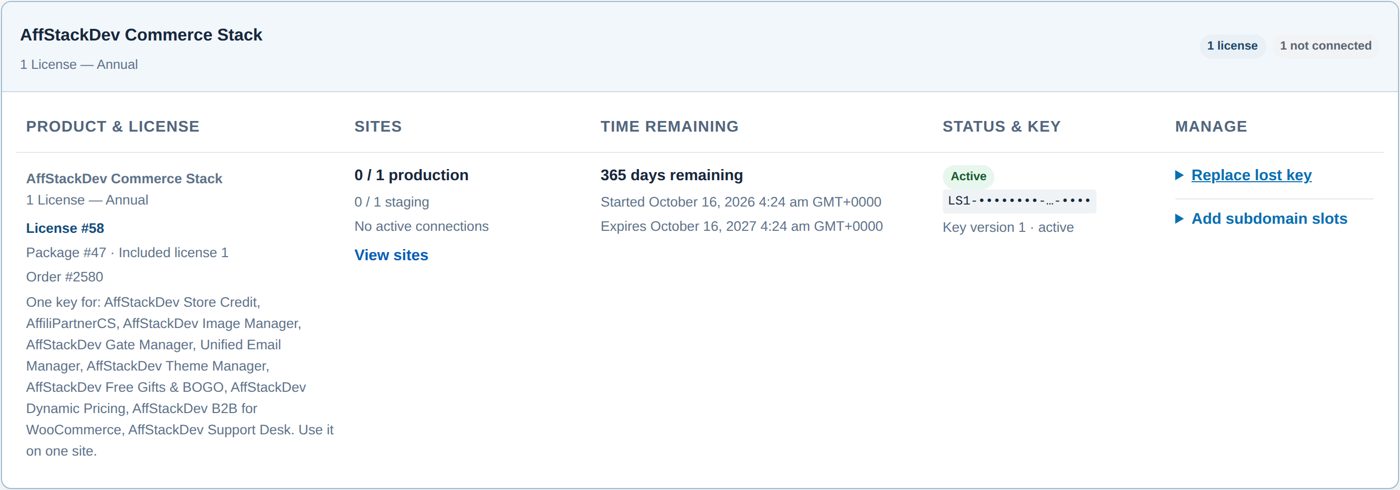
- A Stack license has one key. You make it once in My Account → Licenses on affstackdev.com, on the Stack's own card, and enter that same key in each of the ten plugins.
- All plugins of one Stack license run on one live site. While any of them is active on a site, activating one on another site is refused: "This Commerce Stack key is in use on your other site. Deactivate the Stack plugins there first, then activate them on this site."
- Each plugin keeps its staging place: a test copy of your site can use the plugins as usual.
- The plugins share the Stack license's dates: one year from purchase for 1 license; in the 5, 10 and 25 license packs each Stack license starts at its first activation (within 365 days).
- The plugins' own cards in My Account → Licenses say Uses the Commerce Stack key: a plugin of a Stack never gets a key of its own.
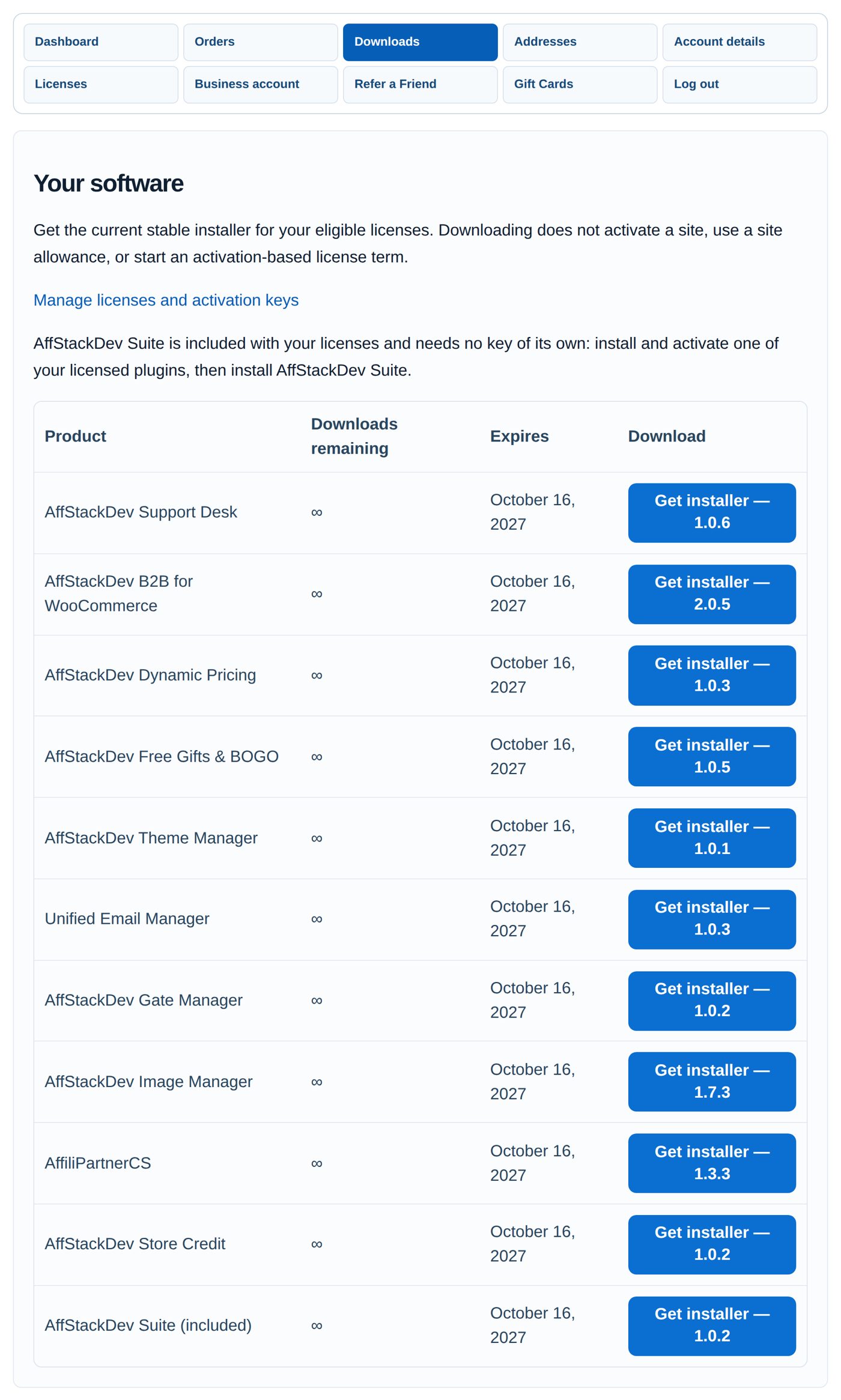
My Account → Downloads lists the installer of each Stack plugin once, and the AffStackDev Suite as included. Install them as described in Install a plugin.
Move the Stack to another site
- On the old site, open each Stack plugin's License screen and deactivate it (the screens are listed in Activate your license).
- On the new site, install the plugins and enter the same Stack key in each.
Lost key
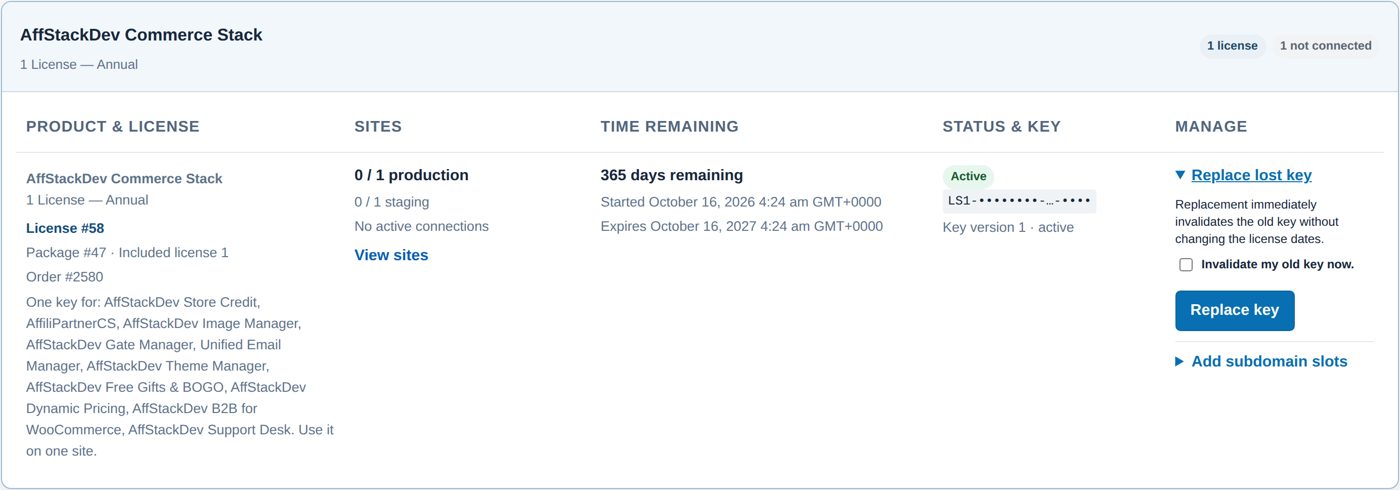
My Account cannot show a complete key again. On the Stack's card open Replace lost key, tick Invalidate my old key now. and select Replace key. Copy the new key at once and enter it in each plugin; the old key stops working at once, the dates stay.
Subdomain places for AffiliPartnerCS
A Stack can carry extra subdomain places for AffiliPartnerCS at the normal place price (Add subdomain slots on the Stack's card). They use one subdomain key per Stack license, as described in AffiliPartnerCS's guide.