AffStackDev Image Manager / Review & delivery
See what your visitors can actually receive.
Compare prepared images, control when they are offered and check the difference between an available copy and an image loaded by the browser.
Free edition · Local image processing · Free Image Manager key
Explore Image Manager
Open the interactive workspace and try the controls.
Watch it work
Fit images to pages and check delivery
Measure how images fit your pages, make the display sizes they need, and configure fitting, dimensions, lazy-loading and automatic processing. Compare compression before approving copies, then inspect what the browser loads at phone and desktop widths.
Jump to a part of this video
Make the visual decision first
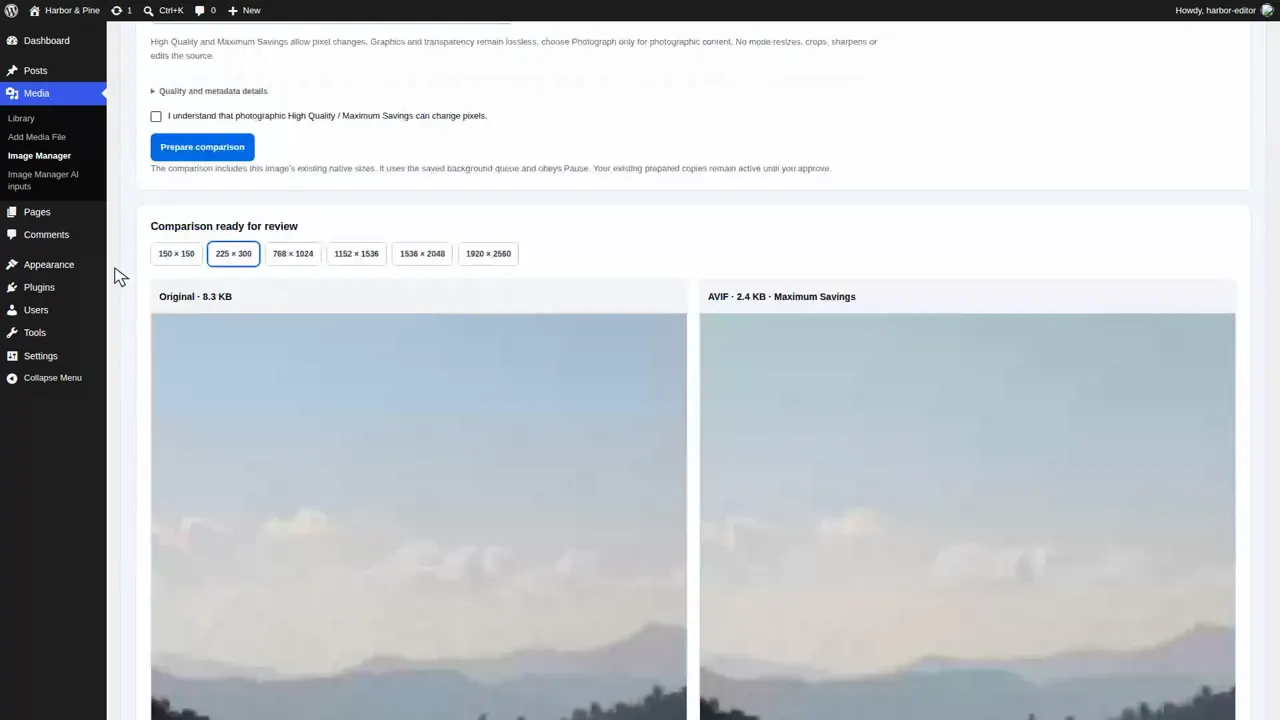
Review available formats and sizes beside the source, including a full-resolution comparison. Approve a result that fits the image’s use or discard the prepared alternative.
Review first gives you a deliberate approval step. Automatic review can accept copies after validation under the selected policy. Approval alone does not turn on global delivery.

Control delivery at two levels
Site delivery setting
Enable optimized delivery when you are ready for supported public rendering to offer approved copies.
Individual image choice
Allow delivery for eligible images or choose Use original to return an image to its native offering while retaining the prepared copies.
Image Manager offers prepared static files on supported rendering paths. It does not convert an image during a visitor’s page request.
Check both the page and the browser
| Check | What it tells you |
|---|---|
| Public HTML check | Inspects the image URLs offered in an anonymous page response. |
| Browser check | Shows files actually loaded in the current signed-in browser at Phone (390 px) or Desktop (1,280 px) widths. |
A browser chooses among available responsive sources. Its loaded file can depend on viewport, pixel density, layout and caching. The signed-in browser check complements the anonymous HTML check.
Fit the rendering used by your site
Supported paths include native attachment and content output, observed active-theme images, and classic WooCommerce simple and variable product galleries. Original zoom and lightbox sources remain available.
Custom galleries, picture elements, lazy-loading systems, WooCommerce Blocks and offload or CDN paths may keep their native output. Optional Jetpack matching is off by default and applies only to exact supported local copies. Review a real page after enabling delivery, and refresh your normal caches when needed.